Update cookies preferences

Build Custom Digital Inspection Forms and Checklists

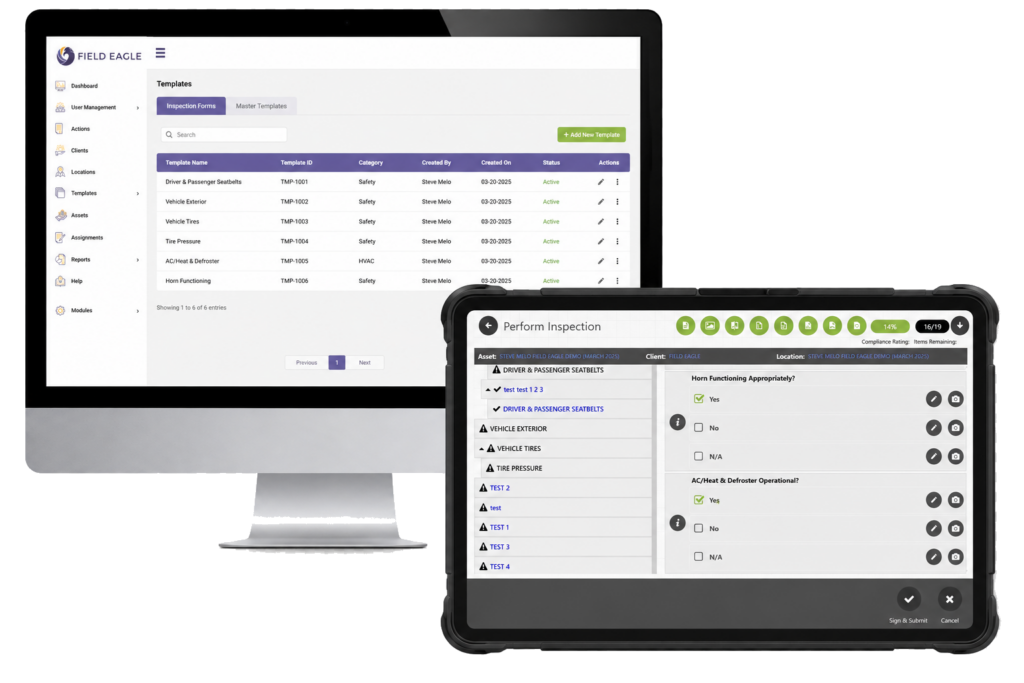
Create digital inspection forms that match your existing inspection process. Start from scratch or convert an existing checklist into a structured mobile form.

Add multiple-choice questions, condition ratings, measurements, comments, signatures, photos, pass/fail responses, and required fields. You can also organize complex equipment into parent and child items so inspectors can move through every component in the correct order.

Managers control forms from the central dashboard and send the latest version to assigned field teams. This keeps inspection requirements consistent across inspectors, assets, and locations.

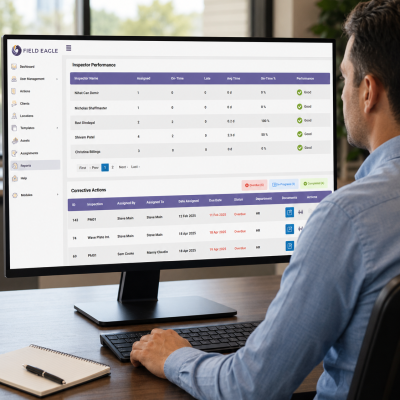
Field Eagle Reports Dashboard

Custom & Standard Forms at Your Fingertips

Digital Inspection forms

At Field Eagle, our inspection software is designed to handle intricate maintenance, health, and safety inspections with unmatched flexibility. We provide unlimited forms and hierarchies, enabling us to manage complex inspection activities efficiently. Our platform allows customization, assignment, and review of forms directly from the dashboard, which can be accessed offline or via mobile devices in remote locations. By streamlining this process, we help reduce errors and minimize compliance-related fines, ensuring your field staff has the guidance and tools they need. Field Eagle keeps your workflow organized and efficient, all through a single, powerful inspection software solution.

Looking for some Free Pre-Built Forms?

We have prebuilt Forms that follow all regulatory compliances built for your Specific needs. Try our Pre-Built, Free Forms Tool.

How to Create Digital Inspection Forms

1. Define the inspection purpose

Identify the asset, site, process, or safety requirement that the form will cover.

3. Apply inspection rules

Set required fields, acceptable ranges, scoring, pass/fail conditions, and photo requirements so inspectors cannot submit incomplete records.

5. Complete the inspection in the field

Inspectors can enter findings, capture evidence, and complete the form from a mobile device, including when they work offline.

2. Add inspection questions and fields

Add condition ratings, measurements, text fields, selections, photos, signatures, and other required information.

4. Assign the form

Send the digital inspection form to the correct inspector, team, location, or asset.

6. Review results and follow up

Review the completed form, identify failed items, assign corrective actions, and generate the required inspection report.

The Importance of a Digital Inspection Forms and Checklists

Work Offline

Media & Doc

Inspectors can complete digital inspection forms, record measurements, add notes, capture photos, and collect signatures without an internet connection. Field Eagle synchronizes the information when connectivity returns.
Control Form Versions

Digital Inspection forms
Update inspection requirements from the central dashboard and distribute the latest form to field teams. Inspectors receive the current questions, standards, and instructions without managing separate files.
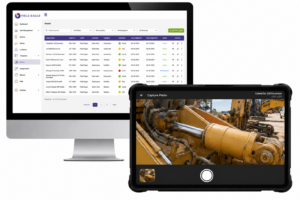
Enforce Inspection Requirements

Asset management inspections

Use required fields, pass/fail rules, scoring, measurements, and mandatory evidence to guide inspectors through each form. These controls help teams collect complete and consistent inspection records.
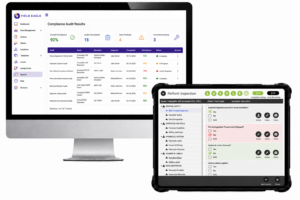
Track Findings and Follow-Ups

Compliance & Audits

Flag failed items directly from the inspection form, document the issue, assign corrective action, set a due date, and monitor the finding through completion.


Frequently Asked Questions (FAQs)

A digital inspection form is an electronic checklist completed on a tablet or mobile device. It replaces paper forms and keeps inspection answers, photos, signatures, timestamps, and follow-up information in one record.


Define the inspection purpose, add questions and required evidence, set rules such as pass/fail conditions, and assign the form to the appropriate inspector, asset, or location. Field Eagle lets you build a new form or convert an existing checklist.


Yes. Field Eagle allows inspectors to complete forms, record measurements, add notes, capture photos, and collect signatures without an internet connection. The data synchronizes when connectivity returns.

Digital inspection checklists can include multiple-choice questions, measurements, condition ratings, comments, photos, signatures, pass/fail responses, and required fields.

Required fields, acceptable ranges, mandatory photos, scoring rules, and pass/fail conditions ensure inspectors provide the necessary information before submitting a form.

The inspector can document the issue, add supporting evidence, and create a corrective action. The action can then be assigned, given a due date, and tracked through completion.


Request a Free Demo

Call Us

Call or Fill out the Form

or Fill out the Form

Request a Demo


Request a Feature

Request a Feature

Contact Us


We take your privacy seriously and will never share your information.

Contact Us


We take your privacy seriously and will never share your information.

Request a Demo


We take your privacy seriously and will never share your information.

Podcast